How to Unclog a 3D Printer Nozzle Without Making It Worse
Unclog a 3D printer nozzle by heating it first, clearing gently, then testing a short purge. Replace a worn tip when cleaning no longer restores flow.
By Harper Lin
3Dprintpicks is reader-supported. As an Amazon Associate we earn from qualifying purchases. Learn more.
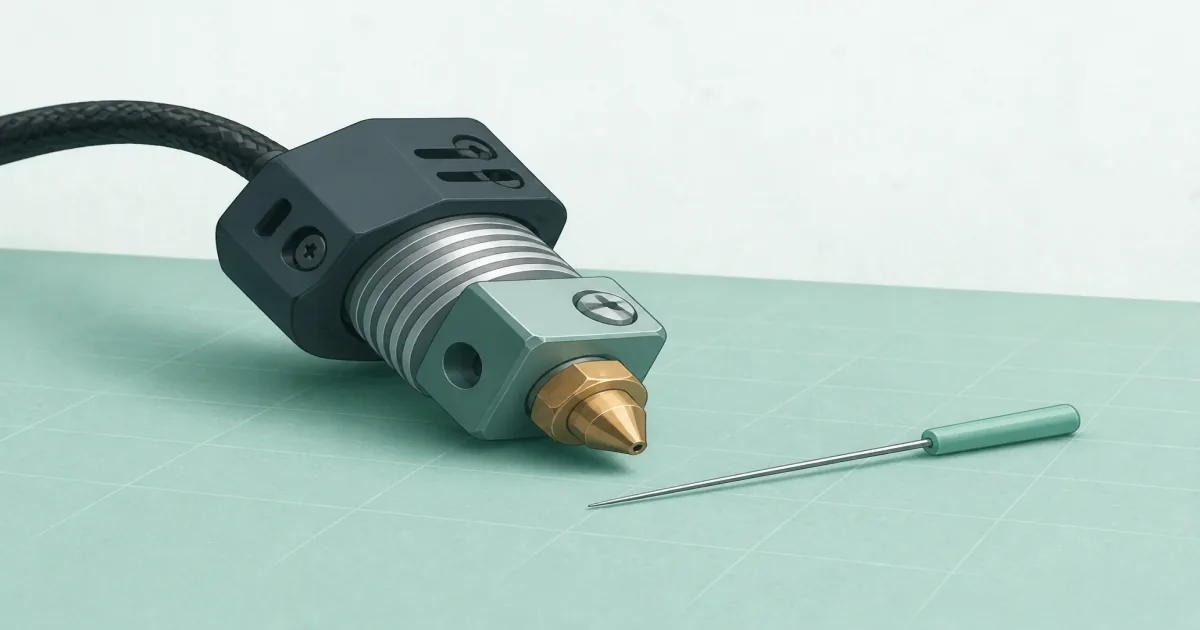
The short answer: Heat the nozzle, clear it gently with a sized pin from the DOLLAR BOSS 29 Pieces 3D Printer Nozzle Cleaning Kit (paid link), purge fresh filament, then swap in compatible Creality Official 0.4mm Brass Nozzles (paid link) if flow stays weak on an MK8-style hotend.
Our picks
A clogged nozzle usually announces itself with thin lines, clicking from the extruder, or a print that starts fine and starves mid-job. The fix is boring on purpose: heat, gentle clearing, a purge, then a small test. Forcing cold tools through a blocked tip is how people ruin a nozzle that only needed patience.
More bench gear lives in our 3D printer accessories hub. Keep a compact 3D printer maintenance kit nearby so you are not improvising with a sewing needle at midnight.
Confirm it is really a clog
Watch the first layer and listen to the extruder. Round, separated lines often mean the nozzle is too high. Clicking with no filament out can be a jam, a grind in the gears, or a tangled spool. Free the spool path first. If filament still will not extrude by hand with the nozzle hot, treat it as a clog.
Wet filament can imitate a clog with popping and sudden weak flow. If the spool sat open in a humid room, dry it before you rebuild the hotend. Our filament dryer guide covers that path.
Heat, then clear gently
Heat the nozzle to the temperature you normally print that filament. Soft plastic clears. Cold plastic fights you.
Use a cleaning pin sized for the tip. The DOLLAR BOSS 29 Pieces 3D Printer Nozzle Cleaning Kit (paid link) includes common 0.2 mm and 0.4 mm pins plus brushes and tweezers. Insert the pin from the tip end while the nozzle is hot. Stop if you feel real resistance. You are clearing residue, not drilling a new hole.
Brush soft residue from the outside of the tip. Avoid scraping heater wires or the heat break. If your printer uses a PTFE tube into the hotend, do not yank it while everything is molten unless you know that hotend's service steps.
Purge and test before you celebrate
Load fresh filament and push a short purge until the color looks clean and the stream is steady. Then print a single-wall square or a short first-layer pattern. If flow returns, stop. Do not keep poking.
If extrusion is still thin, check for a worn orifice. Brass tips open up over time, especially with filled filaments. Compatible Creality Official 0.4mm Brass Nozzles (paid link) are a cheap next step on MK8-style Ender and CR-10 class hotends. Confirm thread and style first. Other printers need their own nozzle family. See 3D printer nozzles before you order the wrong pack.
What not to do
Do not hammer a pin into a cold tip. Do not raise temperature far past the filament's range to “burn it out” without knowing your hotend limits. Do not ignore a grinding extruder that has already chewed a flat into the filament. Retract, cut the damaged section, and reload.
Atomic pulls and cold pulls can help on some setups when you know the method for your hotend. If you are new, stick to heat, a sized pin, a purge, and a spare tip. That sequence fixes most home clogs without turning the printer into a parts kit.
After the tip is clear, check the rest of the path
A clean nozzle still starves if the feeder cannot push. Look for:
- A spool that binds on the holder or catches on cardboard edges
- Dust or ground plastic in the drive gears
- A PTFE tube that has mushroomed or slipped out of seat on Bowden printers
- Retraction settings that chew a flat spot into soft filament during long travels
Fix the path, then reprint a short test. If every color clogs within minutes on a fresh tip, the problem is upstream. If only one abrasive or wood-filled roll fails, switch to a hardened nozzle instead of endless brass cleaning. The 3D printer nozzles guide covers that swap.
Build a tiny unclog drawer
You do not need a full toolbox. Keep the cleaning kit, one labeled spare nozzle that matches your hotend, flush cutters, and a note with your normal print temperature. When a print fails at 2 a.m., that drawer beats improvising with kitchen tools.
If you already own a 3D printer nozzle cleaner set, use it. The goal is the same: warm tip, gentle pin, purge, test. Replace the tip when cleaning stops working instead of collecting a pile of bent needles.
Common failure patterns
Partial clog that returns every print: Often wet filament or a tip that is already worn. Dry the spool, then replace brass if the orifice looks oval.
Sudden stop mid-print with grinding: Usually a tangle, a knot in the spool, or a heat creep jam higher in the hotend. Free the spool, cool down, then clear carefully. Do not keep pushing until the gears polish a flat into the filament.
No extrusion after a nozzle swap: Cross-threaded tips and wrong lengths are common. Remove, check the seat, and confirm you bought the matching family. A nozzle that “almost” fits can leak plastic onto the heater block.
Good purge, bad first layer: That is not a clog anymore. Recheck Z-offset and bed cleanliness with 3D printer calibration.
Bottom line
Unclog a 3D printer nozzle with heat and a gentle pin first. Keep the DOLLAR BOSS cleaning kit for that job, and keep compatible Creality Official 0.4mm Brass Nozzles (paid link) on hand when cleaning no longer restores flow. Fix moisture and feed path issues before you blame every failure on the tip.
Frequently Asked Questions
How do I unclog a 3D printer nozzle at home?
Heat to printing temperature, clear gently with a sized pin from the tip, purge filament, then print a short test line.
Should I poke a cold nozzle?
No. Cold plastic is hard and the pin can bend or damage the orifice. Heat first.
What if nothing comes out after cleaning?
Check the feeder path, PTFE tube if you have one, and whether the nozzle tip looks worn. Swap a compatible spare if flow stays weak.
Can wet filament look like a clog?
Yes. Popping and sudden underextrusion often mean moisture. Dry the spool before you tear the hotend apart.
When should I replace the nozzle instead?
When the hole looks oval, first layers smear strangely after a good clean, or abrasive filament has chewed the tip.
Do all cleaning kits fit every nozzle size?
Match pin diameter to the nozzle. A 0.4 mm tip wants a pin that can pass without forcing. Oversized pins damage tips.