3D Printer Fire Safety: Set Up the Room Before a Long Print
A printer enclosure or camera is not a safety plan. Set up a clear printing area, keep a working smoke alarm nearby, and stay present for new jobs.
By Nate Brooks
3Dprintpicks is reader-supported. As an Amazon Associate we earn from qualifying purchases. Learn more.
The short answer: Keep the printer on a stable clear surface, use working smoke alarms as part of a whole-home plan, and watch unfamiliar prints in person. The First Alert P1210E Battery Powered Smoke Alarm is a practical room alarm option when it fits your home’s requirements.
Our picks
3D printer fire safety is mostly boring setup, which is exactly what you want. A clear bench, undamaged cable, sensible power connection, and a working alarm do more than a dramatic accessory purchased after something goes wrong. The goal is not to make a printer feel dangerous. It is to treat a heater, moving parts, and long jobs with normal care.
This recommendation is research-based from the live US Amazon listing and published product information. Check local alarm requirements, manufacturer instructions, and whether your home needs hardwired or interconnected devices. A single product listing cannot decide that for your building.
Give the printer a calm place to work
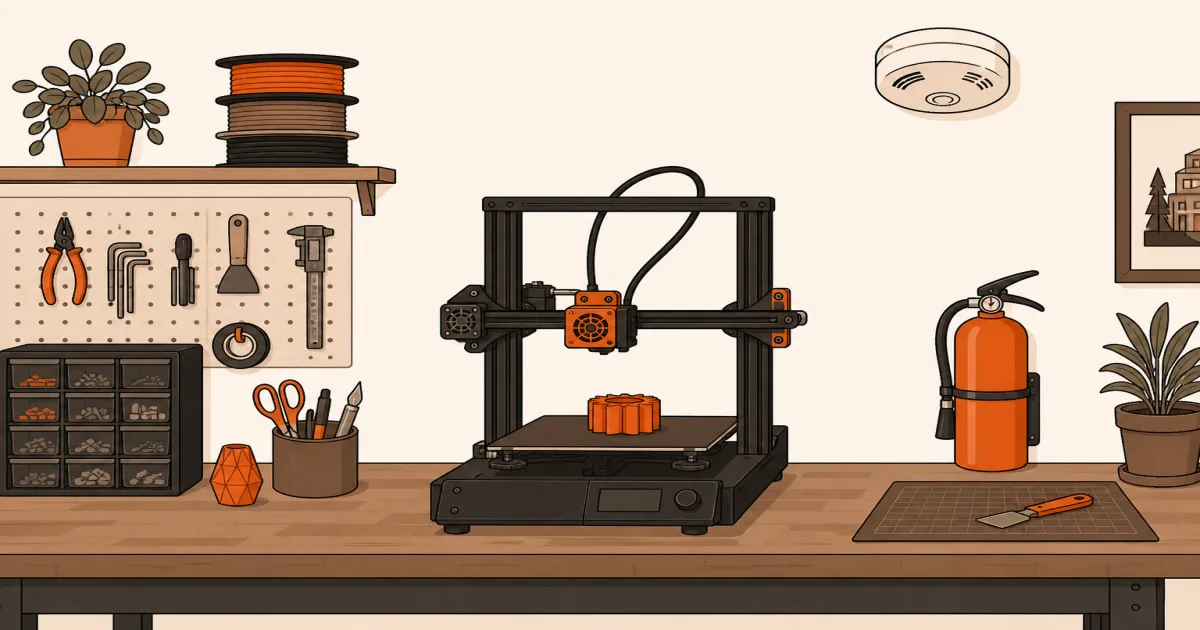
Use a stable table or bench that does not wobble as the bed or toolhead moves. Keep paper, cloth, loose filament, aerosols, and curtains away from the machine. Do not route the power cable under a rug or pinch it behind furniture. Make sure you can reach the power switch and plug without moving the printer.
Check the first layer before walking away. That catches loose parts, a badly leveled bed, and a nozzle dragging plastic around the plate. It also gives you a chance to notice a cable rubbing on a moving axis. A small 3D printer maintenance kit helps keep the bed and nozzle tidy, but it does not replace basic inspection.
A smoke alarm belongs in the plan
The First Alert P1210E Battery Powered Smoke Alarm has a sealed 10-year battery and photoelectric sensor. Its live US product page and image were confirmed during this update. Use it only where its listing, instructions, and local requirements make sense. A smoke alarm should be part of the home’s normal protection plan, not an excuse to leave a questionable print alone.
Test alarms on the schedule recommended by their maker. Keep the printer’s room accessible. Do not place the printer directly under an alarm if ordinary heat or particles create frequent nuisance alarms, and do not move an alarm just to make a printer setup more convenient. Follow local guidance for placement.
Enclosures and cameras have limits
An enclosure can cut drafts and keep fingers away from moving parts. It is not a sealed fire box. Our 3D printer enclosure guide covers the practical material and fit side of enclosures.
A camera can show you a loose first layer or a print turning into spaghetti. It cannot smell hot wiring, stop a failure by itself, or put out a fire. Use it as an extra view after you have already set up the room safely. Our 3D printer camera guide has the useful placement details.
Make a short pre-print check normal
Before a long job, look at the plug, power cord, hotend cable, and bed cable. Check that the spool unwinds without pulling on the frame. Confirm the machine is sitting flat and that no paper, packaging, or cloth has crept onto the bench. Start the print while you are present and watch the first layer.
If a connector looks discolored, a cable insulation is damaged, or the printer behaves differently than usual, stop and consult the manufacturer’s support material before printing again. It is better to lose an evening of printing than to normalize a problem because the last job happened to finish.
Bottom line
3D printer fire safety begins before the slicer starts. Clear the bench, inspect cables and the first layer, keep working alarms in the home, and follow printer instructions. The First Alert P1210E Battery Powered Smoke Alarm is a reasonable nearby-room option when it meets your local needs, but the whole setup matters more than any one product.
Frequently Asked Questions
Is it safe to leave a 3D printer running overnight?
A new printer, new material, or untested profile should not be left unattended. Follow the maker’s guidance and local fire-safety rules.
Does a printer enclosure prevent fires?
No. An enclosure can manage drafts and keep hands away, but it is not a fireproof vault.
Where should I place a 3D printer?
Put it on a stable, clear, nonflammable-friendly surface away from curtains, paper, and clutter.
Do I need a smoke alarm in the print room?
Use working alarms where required and follow local requirements. A printer room should not be an exception.
Can a camera replace checking a print?
No. A camera can help you spot a failure but cannot intervene or make unattended printing safe.
What should I inspect before a long print?
Check the first layer, cables, plug, bed, spool path, and that nothing flammable is near the machine.