3D Printer Heated Bed: What It Does and Which Printers Get It Right
Printers
A heated bed is what stops the first layer from curling and the part from shrinking off the plate. Compare printers that hold temperature well and the plate and adhesive habits that make first layers stick.
Our picks
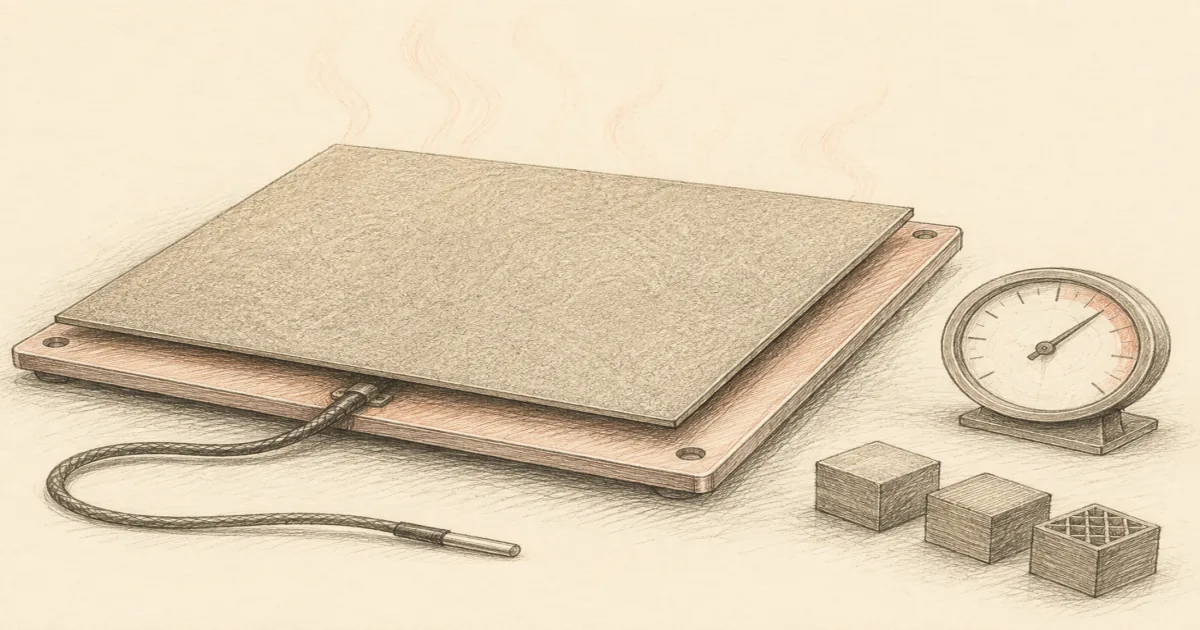
A heated bed sounds like a small piece of the printer. It is not. It is the surface that decides whether the first layer stays stuck, whether corners lift three hours into a print, and whether ABS warps enough to pull a part off the plate mid-job. A printer with a weak heated bed fights every material. A printer with a strong heated bed lets you focus on the part.
The reason heated beds matter is contraction. Plastic cools and shrinks as it leaves the hot nozzle. If the bottom layer is colder than the layers above it, it shrinks first and pulls away from the plate. A heated bed keeps that bottom layer warm enough that the shrinking happens everywhere at once, instead of just at the bottom. The result is a part that stays flat on the plate and prints cleanly through the job.
Most home FDM printers ship with a heated bed these days. The differences are in how hot it gets, how even the heat is across the plate, and how stable the chamber is around it. Pick the right combination and the first layer just works. Pick the wrong one and you spend an afternoon blaming your slicer.
Heated bed temperatures by material
These are starting points. Every printer, plate, and filament brand has its own quirks. Use the filament maker's profile as a first guess, then tune from there. PETG sticking too hard is a common sign the bed is too hot. PLA not sticking usually means too cold.
Best overall: Bambu Lab P1S Combo
The Bambu Lab P1S Combo is the strongest heated-bed setup here because the printer combines a 100 °C capable plate with a real enclosure. The heated bed does its job, and the chamber keeps the warm air from escaping during an ABS print. That combination is what stops corners from lifting on long overnight jobs.
The enclosure also means a heated bed temperature that drifts up during a print does not pull room drafts across the plate. ABS, ASA, and PC prints run cleaner because the air around the part stays warm.
Skip the enclosure and a 100 °C bed is only half the answer. The P1S is the right buy when ABS or ASA is even occasionally on the project list. For pure PLA work, the smaller A1 Mini is a less expensive way to get the same auto leveling and a clean heated bed.
Best compact heated bed: Bambu Lab A1 Mini Combo
The Bambu Lab A1 Mini Combo is the small-desk answer for PLA and PETG. The 180 mm heated plate holds 80 °C cleanly, which covers everything except ABS and ASA. Auto leveling, AMS lite, and auto calibration keep the first layer simple.
The open frame means ABS and ASA are not the right project for this printer. PETG works but wants careful bed temperature tuning. PLA is the everyday path.
Pick the A1 Mini when the desk is the hard limit and your materials are PLA or PETG. The heated bed is enough for that lane. For ABS and ASA brackets, jump to the P1S.
Best large heated bed: Creality K1 Max
The Creality K1 Max earns the wider plate slot when the prototype is too big for 256 mm. The 300 x 300 mm heated plate covers larger brackets, jigs, and full-size shells without splitting. Max temperature around 100 °C handles PETG and ABS profiles, though ABS wants the room warm or an enclosure added on.
The bed is the right size for batch jobs. Several small parts on one plate finish faster than running them one at a time on a smaller bed. That is a real win for prototyping where iteration speed is the point.
Skip the K1 Max if you mostly print one small part at a time. The bed space is wasted and the A1 Mini is cheaper. Pick the K1 Max when 256 mm keeps forcing splits.
The bed surface is half the battle
A heated bed without the right surface is only half a solution. The plate on top of the heater decides whether the first layer sticks and whether the part releases cleanly. For most home printers, that means a textured PEI spring steel sheet that fits the bed size. PEI holds PLA without glue, releases PETG with care, and survives hundreds of prints if cleaned gently.
Our PEI sheet guide walks through sizes and textures. The build plate guide covers which PEI size fits which printer. Match the plate to the printer bed before you order.
If you skip PEI and stay on the stock surface, clean it before every print with mild dish soap and water. Skin oil is the most common cause of first layer failures. A lint-free cloth and a quick rinse usually fixes a stubborn plate.
When glue actually helps
Most textured PEI surfaces do not need glue for PLA. PETG is the exception. PETG can weld to PEI on a hot bed, which sounds great until the part refuses to come off and takes chunks of the plate with it. A light release agent on PETG jobs prevents that.
A cheap glue stick is the simplest release agent. It goes on thin, releases cleanly, and is easy to reapply. A dedicated adhesive like Magigoo is the cleaner option for shops that switch materials often. Our bed adhesive guide covers both lanes.
Do not glue on a textured PEI plate for PLA. The plate is sticky enough, and glue residue builds up over time. Save glue for PETG, glass beds, and older printers.
Calibrate before chasing a new plate
Most first layer complaints are not the plate. They are first layer height, Z-offset, or room temperature. Run the printer's first-layer routine before blaming the plate. Wash the plate with mild soap and water. Recheck bed temperature for the actual filament brand, not the generic profile.
If corners still lift after a clean plate and a calibrated first layer, the room is probably the problem. Drafts, AC vents, and ceiling fans push cool air across the plate faster than the heater can recover. Move the printer, close a vent, or add an enclosure. The enclosure guide covers what an enclosure does and does not solve.
Bottom line
A 3D printer heated bed is the unsung hero of the first layer. The Bambu Lab P1S Combo has the strongest heated bed here because the enclosure keeps chamber temperature stable. The Bambu Lab A1 Mini Combo is the right compact answer for PLA. The Creality K1 Max earns the slot when 256 mm is too small. Match the heated bed to the materials you actually print, not the maximum the printer can reach.
Frequently Asked Questions
What does a heated bed do on a 3D printer?
A heated bed keeps the bottom layer of the print warm so it does not cool and shrink faster than the layers above it. That is what stops the corners from lifting off the plate.
What temperature should a 3D printer heated bed be set to?
PLA prints happily at 50 to 60 °C on the bed. PETG wants 70 to 80 °C. ABS and ASA usually need 100 to 110 °C with an enclosure to keep the air warm around the part.
Do all 3D printers have a heated bed?
Most modern FDM printers do. Some very small or specialty printers skip the heated bed because their parts are tiny enough to print without one. Resin printers do not use heated beds the same way.
Can I upgrade an existing 3D printer with a heated bed?
Sometimes. Older beds or replacement silicone heaters can be added, but the firmware has to know the bed exists. For most home users, buying a printer that already has a reliable heated bed is the safer path.
What heated bed temperature is safe for PLA?
PLA does not need more than 60 °C on the bed. Higher temperatures can soften the part and make the first layer harder to remove cleanly.
Do I need glue on a heated bed?
For most textured PEI plates, no. PLA sticks well to a clean PEI surface. PETG often needs a release agent or different plate. ABS usually wants glue or a slurry on glass.
How long does a heated bed take to reach 60 °C?
Most modern printers reach 60 °C on the bed in under two minutes. Heavier aluminum plates take a bit longer. The first layer is worth the wait.
Can a heated bed burn PLA off the plate?
Yes. A bed set well above the material's safe range will soften the bottom layer and fuse it to the plate. Match the bed temperature to the filament, not the maximum the printer can reach.