Silicone Socks for 3D Printers: Keep the Block Clean, Heat Steady
Silicone socks keep plastic off the heater block and help hold temperature on MK8 and Sprite hotends. Match the sock shape to your block before you order.
By Nate Brooks
3Dprintpicks is reader-supported. As an Amazon Associate we earn from qualifying purchases. Learn more.
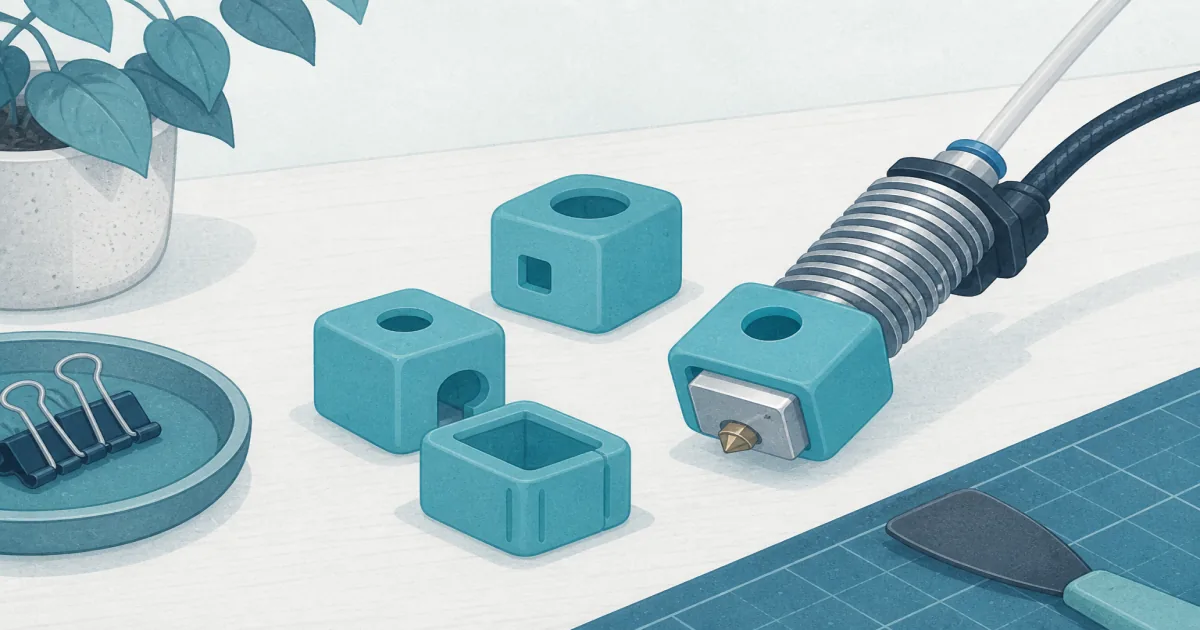
The short answer: Buy Microswiss MK7/MK8/MK9 Silicone Socks (paid link) for classic Ender and CR-10 blocks. Grab the KITANIS 6-pack (paid link) when you want cheap spares. Switch to Creality Official Sprite (paid link) socks if your hotend is an S1 / Smart Pro Sprite, not a square MK8.
Our picks
Silicone socks look like a tiny kitchen mitten for the heater block. That is basically the job. They keep plastic from welding to the aluminum, they blunt the cold blast from part cooling, and they stop a failed PETG “blob” from climbing the thermistor leads. Skip them and you spend more time scraping the hotend than printing.
Match the sock to the block. Wrong shape is worse than no sock. For nozzle swaps on the same desks, keep 3D printer nozzles and a sock pack in the same drawer.
What a sock actually fixes
A sock will not rescue a clogged nozzle or a bent heat break. It is maintenance gear, like a tools kit scraper: cheap insurance when the failure mode is messy plastic.
Top pick: Microswiss MK8 pack
Microswiss MK7/MK8/MK9 Silicone Socks (Pack of 3) (paid link) are the default for stock Ender 3, Ender 5, and CR-10 style heater blocks. The cut seats on the usual square MK family block without flopping into the part fan. Three covers means you replace a torn one without waiting on shipping.
Use these when you print PLA and PETG on an open-frame Creality-class machine. Stretch the sock over a warm block so the nozzle hole sits clean. If your printer already runs a Sprite, Bambu, or volcano block, skip this pack. The shape will not fake-fit.
Best value: KITANIS six-pack
The KITANIS Hotend Silicone Sock 6 PCS (paid link) covers the same MK7/MK8/MK9 family with twice the spares. That matters if you run two printers, or if you treat socks as consumables the way you treat brass nozzles. The silicone is a bit more generic. Some blocks get a snugger Microswiss fit. For most Ender desks the KITANIS pack is the smarter shelf stock.
Buy it when you want a drawer full of covers under ten dollars. Skip it if you only need one sock and prefer the Microswiss brand cut.
Best for Sprite: Creality official
Creality Official Sprite Extruder Heater Silicone Sock (5 PCS) (paid link) is shaped for Sprite heater blocks on Ender 3 S1, S1 Pro, CR-10 Smart Pro, and Sermoon V1 class machines. Square MK8 socks leave gaps on Sprite. Official Creality covers close those gaps and tolerate higher nozzle targets than soft generic MK8 silicone.
Install one after every nozzle change on an S1 desk. Keep the extras sealed. Do not force a Sprite sock onto a classic Ender 3 Pro MK8 block. You will tear it or leave metal exposed.
Fit check before you click
Photograph your heater block from the nozzle side. Compare that outline to the listing photos. MK8 socks show a roughly cubic block with a centered nozzle hole. Sprite socks follow the longer Sprite heater shape. Clone V6 and volcano blocks need yet another cut.
If you just upgraded the hotend, buy socks for the new block, not the old printer name on the box. An “Ender 3” label after a Sprite conversion is a trap.
Install without pinching wires
Heat the block to a mild printing temperature so the silicone stretches. Power off if you are nervous about shorting probes while you wrestle the cover. Seat the nozzle hole first, then pull the sides up around the cartridge and thermistor leads. The wires should exit clean holes, not fold under the silicone. Snug the cover so it cannot drift into the part fan.
After the first print, check for melted spots or a sock that walked down the nozzle. A loose cover near the bed is how people rip silicone on the first layer. Trim or replace rather than tape it in place.
When to skip a sock
Skip silicone if your printer ships with a fully shrouded hotend that already covers the block. Skip it for short PLA tests on a brand-new machine where you are still learning heat soak. Skip thin “universal” socks that claim every hotend on earth. Universal usually means floppy.
Also skip printing nylon or other high-temp materials above the sock rating. Peel the cover before those jobs. A burnt sock that sticks to the cartridge is a worse cleanup than printing bare for one spool.
Pair with the rest of the hotend drawer
Socks sit next to nozzles, a short length of PTFE tube, and a cold-pull needle. When you change tips, inspect the sock. A blackened, torn cover is a clue that plastic has been leaking at the heat break. Fix the leak before you celebrate a fresh nozzle.
Beginners setting up a first machine in best 3D printer for beginners should install a sock after the first successful PLA print, not before they know a first layer from a spaghetti mess.
Bottom line
For classic MK8 Ender and CR-10 desks, start with Microswiss and keep a KITANIS six-pack as cheap backups. For Sprite-class S1 machines, buy the Creality Official Sprite covers instead. Match the block shape, stay inside the temperature rating, and replace the sock when it stretches or tears.
Frequently Asked Questions
Do I need silicone socks on a 3D printer?
Yes on open MK8 and Sprite hotends that print PETG or sit near part-cooling air. A sock keeps molten plastic off the heater wires and helps the block hold temperature when the fan is aggressive.
Will one sock fit every printer?
No. MK7/MK8/MK9 covers fit classic Ender 3 and CR-10 blocks. Sprite socks fit S1-class extruders. Bambu and many all-metal volcano clones need their own shape. Measure the block or check the listing photos.
Can I print above 280 C with a sock on?
Stay inside the sock’s rated temperature. Soft MK8 covers are usually fine for PLA and PETG. For exotic high-temp filaments near or above 300 C, follow the sock maker’s limit or remove the cover.
How often should I replace a silicone sock?
When it stretches, tears at the nozzle hole, or no longer grips the block. Many desks swap every few months of daily printing, sooner if PETG welds to the silicone.
Do silicone socks fix temperature swings?
They help against draft and fan wash. They do not fix a loose thermistor, a failing cartridge, or a PID that needs a tune. Fix wiring first.
Should I install the sock before or after the nozzle?
Slide the sock on with the nozzle already snug so the hole seats around the tip. Heat the block a little if the silicone fights you, then check that wires are not pinched.
Can a sock cause a fire risk?
Use the temperature rating, keep the cover clear of the heater wires’ strain relief, and stop printing if the sock smells burnt or slides into the part fan. A sock is insulation, not armor.