Polycarbonate Filament: Tough Heat-Ready Parts for Enclosed Desks
Polycarbonate filament belongs on enclosed, dry, high-temp desks. Start with PolyLite PC for clear functional parts, then PolyMax PC when toughness is the whole point.
By Alex Turner
3Dprintpicks is reader-supported. As an Amazon Associate we earn from qualifying purchases. Learn more.
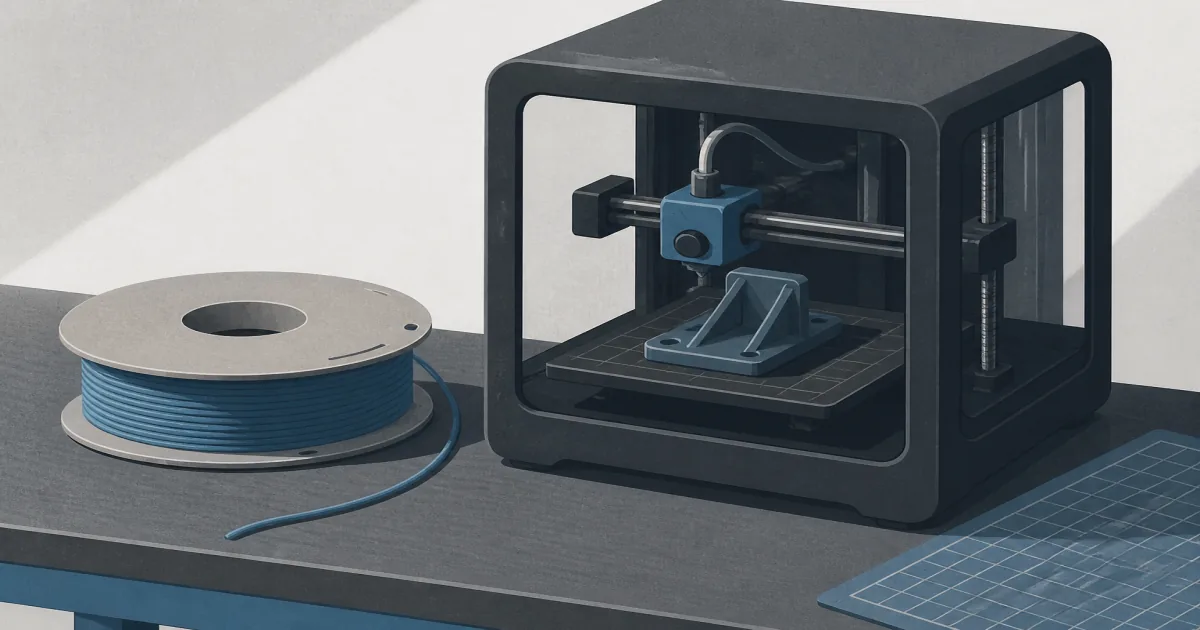
The short answer: Buy Polymaker PolyLite PC when you need real polycarbonate strength and heat on an enclosed desk. Move to Polymaker PolyMax Tough PC when the part has to take hits and a clear look does not matter.
Our picks
Polycarbonate filament is the step after PLA and PETG stop being honest answers. It holds shape in warmer environments and shrugs off abuse that turns PETG soft. It also asks for nozzle temperatures many budget printers barely reach, plus an enclosure that keeps drafts off the part.
If you still need a broad material map, start with best 3D printer filament. If the part needs fiber stiffness instead of plain PC toughness, compare best carbon fiber filament. For machines that already chase engineering plastics, best 3D printer for nylon and a proper 3D printer enclosure matter as much as the spool.
Who polycarbonate filament is for
Buy PC when the part lives near heat, takes knocks, or needs stiffness PLA cannot fake. Skip it for figurines, organizers, and first-week calibration cubes. Those jobs waste an expensive spool and a lot of failed beds.
Expect warping on large flat parts if the chamber is cool. Expect moisture drama if the bag sat open. PC is capable. It is not casual.
Hero pick: Polymaker PolyLite PC
Polymaker PolyLite PC Filament is the clearest first polycarbonate buy for home engineering parts. The transparent roll is useful for covers and housings where you want to see fasteners or LEDs without jumping to acrylic fabrication.
Print it hot, keep the chamber calm, and dry the spool. PolyLite is still PC. It will not forgive an open-frame draft the way PLA does.
Tougher black: Polymaker PolyMax PC
Polymaker PolyMax Tough PC is the follow-up when impact toughness is the headline. Black engineering parts, brackets, and housings that get dropped belong here more than on a clear decorative spool.
The spool is smaller than many 1 kg commodity rolls, so price it per gram honestly. You are paying for a tougher PC grade, not a bulk PLA refill.
Setup that keeps PC from fighting you
Use an enclosure. Set bed and nozzle in the manufacturer window, then slow down before you speed-run a brick. Add a brim on large footprints. Dry the filament in a filament dryer if the bag has been open.
Annealing can help some PC parts after printing. Only do that when the design and temperature plan are intentional, not as a fix for a warped first attempt.
Chamber, bed, and first-layer reality
Polycarbonate wants a calm chamber more than it wants a heroic max-speed profile. A fabric tent on an open-frame machine can be enough for small brackets. Large flat plates want a real enclosure and a bed that stays hot without drafts licking one corner.
First layers decide whether the job finishes. Clean the plate. Use a brim on wide footprints. Do not chase zero gap until the plastic looks welded into the sheet. PC that sticks too hard is still better than a warp that ruins hour six, but a careful release plan beats chiseling a $40 sheet.
If your printer cannot hold the nozzle range the spool asks for, stop. Underextruded lukewarm PC is brittle junk with an expensive label.
Projects that fit polycarbonate
Good fits: tool housings, drone or camera brackets that see heat, under-hood adjacent parts that are not melting on the manifold, and stiff fixtures that outgrew PETG. Weak fits: figurines, desk toys, and first calibration cubes. Those jobs teach you nothing except how much PC costs per failed gram.
If the part mainly needs stiffness from fiber fill, compare best carbon fiber filament instead of assuming plain PC is the same purchase.
Common PC mistakes
Printing PC on an open desk “because PETG worked.” Skipping the dryer after a humid week. Speeding up to prove the printer is fast. Annealing a warped part and calling the warp cured. Buying PC-CF first because the product photo looks industrial, then clogging a soft brass nozzle.
Another mistake is treating transparent PolyLite like acrylic sheet stock. It is strong plastic, not optical glass. Scratches, layer lines, and haze still show. Design for function first.
Buying checklist
Confirm your hotend can reach the spool’s range. Confirm you have an enclosure plan. Confirm you can dry the filament. Confirm 1.75 mm. Confirm the part truly needs PC heat and toughness, not just a tougher-sounding name than PETG. Then order the spool you will finish, not three colors you will fear.
More printer and filament guides live on the blog. The homepage is the wider starting point if you are still choosing the machine that can run PC honestly.
When to skip polycarbonate
Skip PC if PETG already survives the heat. Skip it if your printer tops out below the needed nozzle range. Skip it if you will not enclose the machine. Skip filled PC-CF until plain PC already works on that desk.
Bottom line
Polycarbonate filament is for parts that earn the heat and toughness. Start with Polymaker PolyLite PC for clear functional work. Choose Polymaker PolyMax Tough PC when black toughness matters more than transparency. Keep the chamber closed and the spool dry.
Frequently Asked Questions
What is polycarbonate filament best for?
Strong, heat-tolerant functional parts: brackets, housings, and tools that outgrow PLA and PETG.
Do I need an enclosure for PC filament?
Yes for reliable results. Drafts and cool rooms invite warping and weak layers.
Is PolyLite PC easier than nylon?
Different homework. PC wants high heat and a stable chamber. Nylon wants aggressive drying. Neither is a beginner first spool.
Can I print polycarbonate on an open-frame Ender?
Sometimes with a tent and luck. An enclosed machine is the honest path for larger parts.
Does PC filament need drying?
Yes. Wet PC pops, strings, and weakens. Dry before long jobs.
Is carbon-fiber PC the same as PolyLite PC?
No. Filled PC-CF is more abrasive and stiffer. Start with plain PC unless you already run hardened nozzles.
Should beginners buy polycarbonate filament?
Not first. Learn PLA and PETG, then step up when a part truly needs the heat and toughness.